 +1 (774)478-6704
 Order@premiumonebackdrops.com


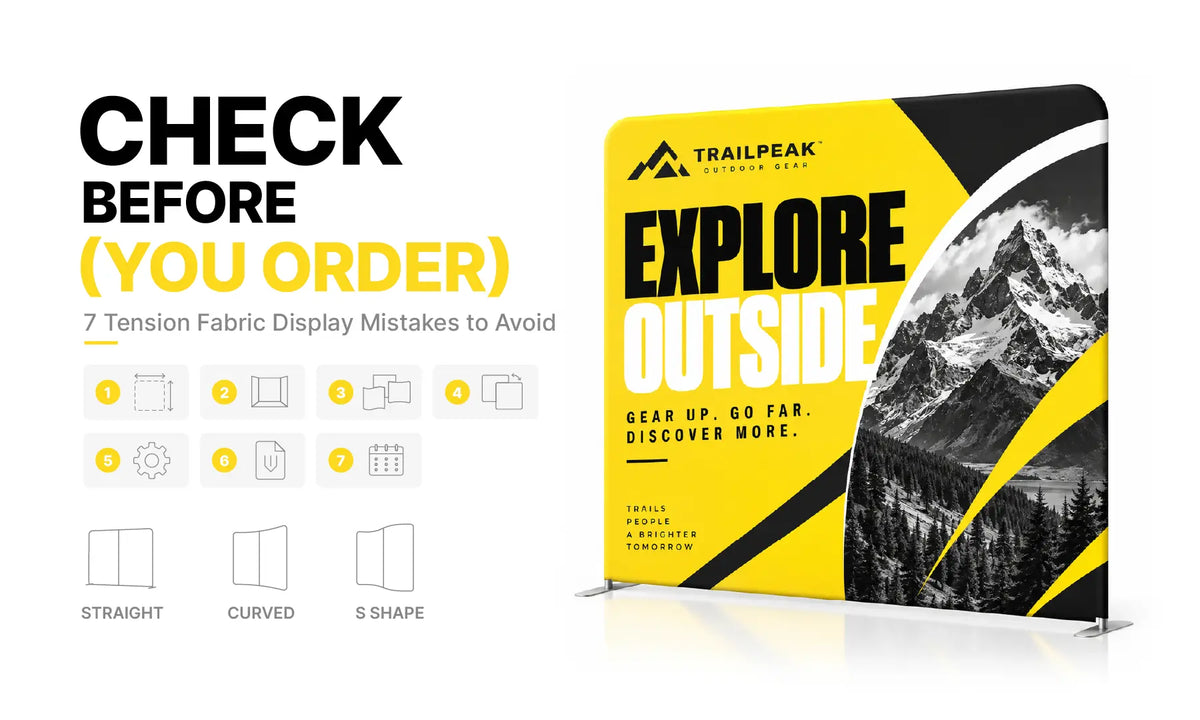
Ordering a tension fabric display involves more than choosing a width and uploading artwork. The display needs to fit your booth, work with the rest of your setup, and match the way visitors will actually see it.
A few checks before ordering can help you choose the right size, shape, printing option, and graphic setup for your event.
1. Choose a Tension Fabric Display Size That Fits Your Booth
Start with your booth dimensions, but do not assume your backdrop should fill the entire available width. A 10ft display may technically fit inside a 10×10 booth, for example, but that does not automatically make it the best choice.
Think about what else needs to fit into the space. A counter or table takes up floor area, while a monitor or product display may need additional clearance. You also need enough room for staff to move around and for visitors to enter the booth comfortably from the aisle.
This is why an 8ft backdrop can sometimes work better in a 10ft space. The slightly smaller display still creates a strong branded background while leaving more flexibility for furniture, products, and conversations.
If you are planning a complete booth rather than a backdrop alone, browsing different trade show display setups can help you see how the backdrop works with other display elements.
2. Pick the Right Tension Fabric Display Shape
Once you know how much space is available, the next decision is the frame shape. Straight, curved, and shaped displays use space differently and give your graphics a different appearance once the fabric is installed.
Straight Tension Fabric Displays
A Straight Tension Fabric Backdrop Display gives you a flat, front-facing graphic area. It is a straightforward choice when your design includes a centered logo, headline, product information, or step-and-repeat pattern.
Because most of the graphic faces the aisle directly, straight displays are also easy to plan around counters, tables, and other booth furniture.
Curved Tension Fabric Displays
A Curved Tension Fabric Backdrop Display brings the sides forward and gives the backdrop more depth. This can work well when the display is intended to frame a counter, presentation area, or central visual.
The curve does affect how the side portions of the graphic are seen, so designs with a strong central focus generally work better than layouts that depend on important text running from edge to edge.
S Shape Tension Fabric Displays
An S Shape Tension Fabric Backdrop Display has a more dimensional profile and can be viewed from different angles. It can create a distinctive setup, but both the footprint and graphic layout need to be considered before ordering.
If you are mainly deciding between the two most common styles, our Straight vs. Curved Tension Fabric Display Guide explains the differences in more detail.
3. Plan Tension Fabric Display Artwork Around the Frame
Artwork should come after the product and size are confirmed. Even when two displays have similar dimensions, their graphic areas may behave differently once the fabric is stretched over the frame.
With a straight display, most of the artwork remains front-facing. Curved and S-shaped frames change the viewing angle, so important content such as your logo, headline, QR code, or website should stay where it can be seen clearly from the main approach to the booth.
It is also worth thinking beyond the artwork file itself. If a counter will sit directly in front of the backdrop, a logo placed near the bottom may disappear behind it. The same applies to TVs, product stands, shelving, and other booth elements.

For detailed file preparation, safe areas, image quality, and logo placement, see our Tension Fabric Display Artwork Guide.
4. Decide Whether You Need Single- or Double-Sided Printing
The best printing option depends mainly on where the display will stand.
If your tension fabric backdrop will be positioned against a booth wall and visitors will only see the front, single-sided printing is usually the practical choice. There is little benefit in adding a second printed graphic if the back will remain hidden throughout the event.
Double-sided printing makes more sense in open spaces. For example, a freestanding display used between two booth areas can present branding in both directions. It can also give you more flexibility if you expect to reuse the same frame in different event layouts later.
If the front and back use different graphics, label the files clearly before submitting them. This simple step makes the proofing process much easier and helps avoid confusion over orientation.
5. Use the Template for the Exact Tension Fabric Display
Once you have selected the frame, use the artwork template created for that exact product and size. Do not build the design from the listed width and height alone or reuse a template from a similar-looking display.
The correct template accounts for the areas needed during printing and finishing, including sections that may wrap around the frame or sit near seams and zipper areas.
Image quality matters as well. A logo copied from a website or a small JPG may look sharp on a laptop but lose clarity when enlarged across an 8ft or 10ft graphic. Whenever possible, start with the original logo and the highest-quality images available.
You do not need to solve every technical artwork question before placing an order, but the product and size should be settled first. That gives you or your designer the correct template to work from.
6. Check Whether You Are Ordering a Full Display or Graphic Only
This is one detail worth checking carefully on the product page. A complete tension fabric display and a replacement fabric graphic are not the same purchase.
A full display generally combines the printed graphic with the compatible frame and the hardware supplied for that model. Depending on the product, other items such as feet or a carrying bag may also be included.
A graphic-only order is intended for customers who already have compatible hardware. If your frame came from another supplier, do not assume that matching the advertised width is enough. Frame dimensions, shape, construction, and the way the fabric attaches can vary between systems.

If you are starting with a new setup, you can compare the available configurations in our Tension Fabric Display Collection. If you only need replacement fabric, confirm the source and exact measurements of your existing frame before ordering.
7. Plan Your Tension Fabric Display Order Around the Event Date
Do not plan for the display to arrive on the day you need to use it. Your schedule should allow for artwork preparation, proof approval, production, shipping, and a little time after delivery.
Receiving the display ahead of the event gives you a chance to open the package and assemble it once. This is useful even with a simple tension fabric system because your team can become familiar with the frame and confirm how the finished graphic looks with the rest of the booth.
For a larger setup, it is even more useful to test the backdrop together with the counter, monitor, or other display pieces. If you are working with a standard 10ft space, our 10ft Trade Show Booth Displays can provide ideas for building the complete setup around your backdrop.
Tension Fabric Display Ordering FAQs
Should My Tension Fabric Display Be the Same Width as My Booth?
Not necessarily. A backdrop should leave enough room for the rest of your booth setup. Furniture, products, staff movement, and visitor access can all affect which display width works best.
How Do I Choose Between a Straight and Curved Tension Fabric Display?
Choose based on the space and the way you want the graphic to be seen. Straight displays provide a flat front-facing surface, while curved displays add depth and bring the side portions of the graphic toward the viewer.
Do I Need Double-Sided Printing?
If the back of the display faces a wall, single-sided printing is usually enough. Double-sided printing is more useful for open layouts where visitors can see or approach the display from both directions.
Can I Order a Replacement Tension Fabric Graphic Only?
Yes, but the new graphic must fit your existing hardware. If the frame was purchased elsewhere, confirm its source, exact dimensions, shape, and attachment method before ordering.
What Should I Check Before Approving My Tension Fabric Artwork?
Make sure the artwork matches the correct product and size, then check spelling, logo and image quality, orientation, and the position of important content. For double-sided printing, confirm the front and back designs as well.
Before You Place Your Tension Fabric Display Order
The best choice comes down to how the display will actually be used. A backdrop that fits the booth on paper still needs to work with your furniture, graphics, visitor flow, and event schedule.
Once the size and frame shape are settled, confirm the printing option, use the matching artwork template, and make sure you are ordering the correct hardware and graphic combination.
If you are not sure which tension fabric display fits your setup, contact the POB team with your booth size, event date, and artwork status. We can help you confirm the details before production.